Gaming desk – the centre of your setup
Create the perfect gaming space where everything is within easy reach. A gaming desk is the heart of every gaming station – it gives you comfort, keeps things organised, and provides enough room for all your gear. Paired with the right addition, such as a gaming chair, it creates an ergonomic setup that lets you stay fully focused on the game and perform at your best. Whether you play occasionally or every day, a well-designed desk is the key to comfort and style in the world of gaming.
Why choose a desk designed specifically for gamers
A desk designed with gamers in mind is not just about impressive looks – above all, it is about functionality and comfort. Its ergonomic shape, solid construction, and practical solutions, such as headphone hooks or cable management systems, help keep your space tidy and comfortable during long sessions in front of the monitor. Combined with a properly matched office chair, it provides optimal support for your back and arms, which translates into better focus and maximum enjoyment while gaming.
Features that improve comfort and immersion
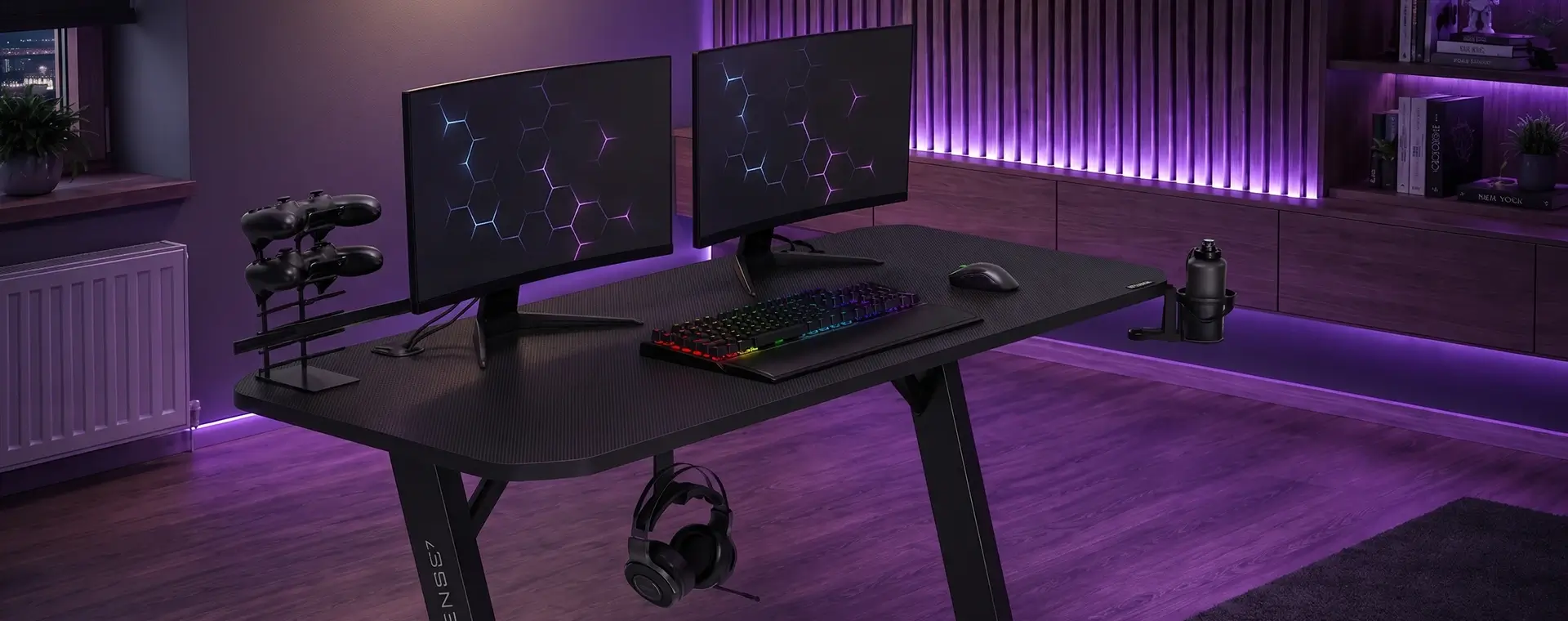
Modern gaming desks are designed to deliver maximum comfort and full focus during gameplay. Their construction combines ergonomics with practical solutions – adjustable height, a solid desktop, and a carefully planned workspace layout. One particularly useful option is a gaming desk with a monitor shelf, which helps maintain proper posture and ensures a comfortable viewing angle. Striking LED lighting creates a unique atmosphere, while cable management systems and additional holders help keep everything neat and convenient throughout every session.
How a gaming desk improves workstation organisation
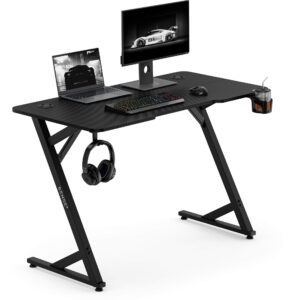
A well-designed desk is key to maintaining order and efficiency in a gamer’s space. Thanks to thoughtful features such as a gaming desk with a headphone hook, drink holders, or a cable routing system, everything has its place. This type of design not only makes it easier to keep the desktop tidy, but also helps you react faster during gameplay without unnecessary distractions. A well-organised setup supports concentration and makes every session more comfortable and satisfying.
Gaming desks – how to choose the right model
Choosing the perfect gaming desk is a decision that should take both the gamer’s needs and the room’s conditions into account. It is not just about appearance, but also about ergonomics, build quality, and functionality. The right model supports comfort, order, and the overall look of the setup, creating a space suited to long and demanding sessions in front of the screen.
Budget and value for money
When buying a desk, it is worth looking not only at the price, but above all at what you get in return. A well-designed gaming desk does not have to be the most expensive – what matters is that it offers solid construction, comfort in use, and durable materials. Models with thoughtful extras, such as headphone hooks or cable routing systems, are often the best balance between quality and price.
Room space and workstation layout
Before choosing a desk, think about how much space you have and how you want to organise it. In smaller rooms, a gaming desk for a small room will be an ideal choice, combining compact dimensions with full functionality. Models with a monitor shelf, extra drawers, or space for the PC tower help you make the most of every centimetre.
If you have more room available, you can opt for a corner desk or a model with a wider top that can accommodate multiple monitors and additional accessories. More space also means more flexibility in arranging your equipment – from speakers and a mechanical keyboard to an XXL mouse pad. Positioning the desk correctly in relation to the light source and the rest of the furniture will help you create an ergonomic, well-organised setup that supports comfort and full concentration during gameplay.
Style and matching the rest of your setup
A desk should not only be practical, but also visually match the rest of your setup. By choosing the right design, colour, and LED lighting, you can create a cohesive set with your chair, computer, and accessories. A stylish gaming desk highlights the character of the space, making gaming even more satisfying and inspiring.
Desk sizes and desktop shapes for gamers
The size and shape of the desktop are crucial both for comfort and for making the best use of the available space. The right desk gives you enough room for your equipment, helps maintain ergonomic posture, and keeps everything organised during intense gaming sessions. It is worth matching it not only to the size of the room, but also to your individual needs and gaming style.
Desktop width and depth
When choosing a desk, pay attention to how much workspace you actually need. A gaming desk with a large desktop is a great choice if you use multiple monitors, a large keyboard, or an extensive set of accessories. It gives you a comfortable layout for your equipment and more freedom of movement. In smaller rooms, on the other hand, a compact model with a narrower desktop is often a better fit, as it helps preserve ergonomics without overwhelming the space.
Straight desktops vs corner / L-shaped desks
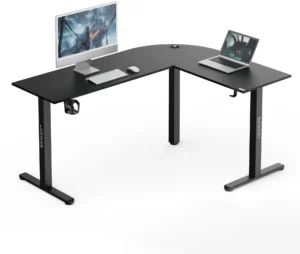
The shape of the desk has a major impact on how your setup is organised. A corner gaming desk is a great option for people who need more room and want to make the best possible use of a room corner. It allows monitors to be positioned at the ideal angle, offering better visibility and a larger working area. Straight desks, on the other hand, are more versatile – they are easy to fit into different interiors and layouts. The choice depends on the kind of comfort and functionality you expect.
Load capacity and stability
A solid structure is the foundation of every gaming desk. High load capacity and stability ensure your equipment stays safe, even with heavier PC setups and multiple monitors. A desk should be made of durable materials such as steel or thick MDF board, which help prevent wobbling and vibrations. This allows you to enjoy smooth gameplay without worrying about the desk’s durability or stability.
Construction and materials of gaming desks
When choosing the right desk, it is worth paying attention not only to its appearance, but also to build quality and structural strength. The materials used and the way they are put together directly affect durability, stability, and everyday comfort. A well-designed gaming desk should combine modern styling with practical solutions that can handle the demands of daily use.
Steel frame, reinforcements, and levelling
A stable frame is the foundation of any desk. Designs based on steel legs or reinforced profiles guarantee high durability and resistance to vibration. Many models come equipped with a levelling system that allows the desk to be adjusted to uneven floors. This keeps the entire structure stable, even during more dynamic gameplay. A solid frame and side reinforcements help the desk retain its durability for years.
Types of desktops and finishes
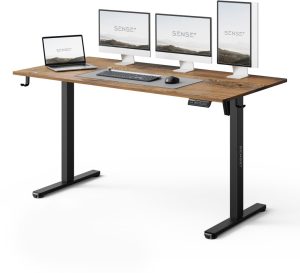
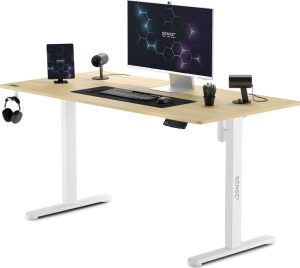
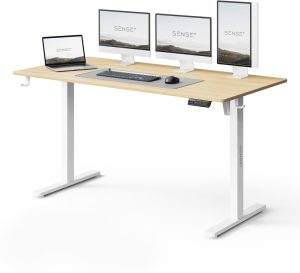
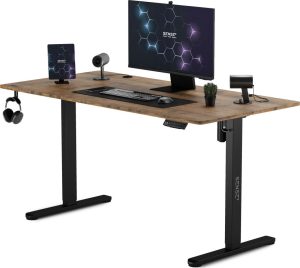
When choosing a gaming desk, it is worth taking a closer look at the different types of desktops and finishing options available. The models offered by SENSE7 come in a wide range of styles — from minimalist MDF tops with a smooth, matte finish to striking surfaces with a carbon-look texture or a metallic sheen. Depending on your room style and personal preference, you can choose a desktop with a natural wood-like appearance or a modern dark matte finish that fits perfectly into a gaming environment.
Each option has its own strengths: desktops with an anti-glare surface improve visual comfort, finishes with a spill-resistant layer make cleaning easier, and surfaces with high load capacity allow you to place heavier equipment and monitors without concern. Choosing the right material and finish makes it possible to create a workstation that is not only functional, but also visually consistent with the rest of the setup.
Resistance to scratches and spills
During long gaming sessions, accidental scratches or spilled drinks are hard to avoid. That is why it makes sense to choose a desk with a protective coating that resists moisture and mechanical damage. This kind of finish helps protect the surface from wear and discolouration and also makes cleaning easier. As a result, the desk keeps its good looks and functionality for a long time, regardless of how intensively it is used.
Ergonomics and adjustment
Comfort and health during gaming depend to a great extent on workstation ergonomics. A desk should allow the monitor, keyboard, and accessories to be positioned correctly, and the height should suit the player’s build. While an electric gaming desk is a particularly convenient option because it allows the desktop to be raised and lowered quickly, manual height-adjustable desks and fixed-height desks with well-considered dimensions can work just as well – it all depends on your individual needs and preferences. A well-designed setup supports proper posture, reduces muscle tension, and allows you to stay fully focused on gameplay.
Fixed height vs adjustable height (manual / electric)
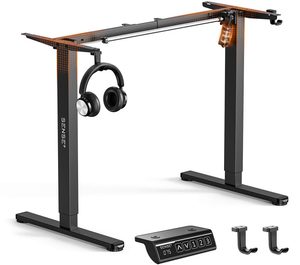
Traditional desks with a fixed height work well in standard setups and offer a simple, stable solution. Their limitation is the lack of quick position changes, which may be less convenient during long sessions or in more varied use. An electric desk, on the other hand, allows the desktop height to be adjusted smoothly at the press of a button, while height-adjustable gaming desks let you tailor the setup both for sitting and for standing work.
Manual height-adjustable models require physical adjustment, but they are often more affordable and just as functional if you do not need to change the height too often. The right type of desk should be chosen based on your gaming style, how much time you spend at the computer, and your ergonomic preferences.
Ergonomic edge and wrist support
Details that improve comfort matter just as much as desk height – an ergonomically rounded desk edge and wrist rests help maintain a natural hand position and reduce tension in the forearms. Combined with a suitable ergonomic chair, these solutions help protect both the spine and the wrists, ensuring comfort during long gaming sessions and computer work.
Recommended height and posture
The right desk height is crucial for a gamer’s health and comfort. The desktop should be set so that the forearms rest parallel to the floor, while the wrists remain in a natural, neutral position when using the keyboard and mouse. The monitor is best placed at eye level, which helps avoid excessive leaning forward and neck strain.
Cable management and USB ports
A tidy gaming station is not just about appearance – it also improves convenience and keeps your equipment safer. A gaming desk with a cable organiser lets you neatly hide cables from your PC, monitors, chargers, and accessories, so you avoid a tangled mess and can keep the desktop cleaner and easier to manage.
In addition, many models come equipped with built-in USB ports and power sockets, making it easier to connect your devices without having to reach for a power strip or the back of your computer. Solutions like these improve the desk’s functionality, giving you quicker access to your equipment and helping you create a clean, well-organised gaming station.
Mounting the PC under or on the desk
When planning your setup, it is worth considering where the computer itself will go. An office or gaming desk with enough space under the desktop allows the PC tower to be placed safely, protecting it from accidental knocks and ensuring proper airflow. Alternatively, some models come with dedicated PC mounts or shelves, making port access easier while helping keep the setup tidy.
Lighting and power
The right lighting does not just affect the atmosphere – it also improves comfort while gaming. A gaming desk with LED lighting helps create an impressive visual effect and improves the visibility of your keyboard and accessories in darker rooms.
Recommended Sense7 gaming sets
When building the perfect gaming setup, it is worth considering ready-made combinations that bring together functionality and style. Sense7 offers carefully considered sets that make it easier to create a comfortable and visually appealing gaming station, helping you get the most out of your equipment and improve your overall comfort while playing.
Desk + chair
One of the most versatile combinations is a solid gaming desk paired with a comfortable chair. This kind of set offers ergonomics, the right desktop height, and seating comfort even during marathon sessions. A well-matched desk and chair complement each other in both style and functionality, creating a cohesive and practical setup for gaming.
Desk + monitor arm
Another popular solution is a set that includes a desk and a monitor arm, which allows the screen to be positioned at the ideal height and at the best possible viewing angle. This gives you more space on the desktop, improves ergonomics, and makes it easy to adjust the monitor position depending on your needs. It works equally well with a single monitor and with multi-screen setups, providing comfort and keeping the gaming station tidy.
FAQ
1. What size gaming desk should you choose for two monitors?
To fit two monitors comfortably on a desk, it is best to choose a model that is at least 140 cm wide and 60 cm deep. Dimensions like these provide enough room for the screens and additional accessories while still maintaining good ergonomics.
2. What is the difference between a gaming desk and a regular desk?
A gaming desk for PC gamers differs from a standard desk mainly in terms of functionality and ergonomics. It includes dedicated features such as headphone hooks, monitor shelves, cable management systems, or LED lighting, all of which help organise the setup and improve gaming comfort. In addition, its solid construction and larger desktop provide stability even with heavier equipment and multi-monitor configurations.
3. Is a gaming desk also suitable for work and study?
Yes, a gaming desk can work very well for both work and study thanks to its spacious desktop and ergonomic features that support proper posture. Additional functions, such as shelves, accessory holders, or cable management systems, make it easier to organise documents and office equipment. Its stable construction and the possibility of matching the height to your needs make it suitable not only for computer-based work, but also for writing or studying.






 319,00 złLowest price:Lowest price 30 days before discount:
 449,00 złLowest price:Lowest price 30 days before discount:
 269,00 złLowest price:Lowest price 30 days before discount:
 399,00 złLowest price:Lowest price 30 days before discount:
 419,00 złLowest price:Lowest price 30 days before discount:
 549,00 złLowest price:Lowest price 30 days before discount:
 419,00 złLowest price:Lowest price 30 days before discount:
 379,00 zł249,00 złLowest price: 379,00 złLowest price 30 days before discount: 379,00 zł
 549,00 złLowest price:Lowest price 30 days before discount:
 449,00 złLowest price:Lowest price 30 days before discount:


